
缓存管理
系统采用 redis 缓存,同时定义了缓存相关方法,开发者只要按照缓存定义的标准开发即可
缓存代码封装
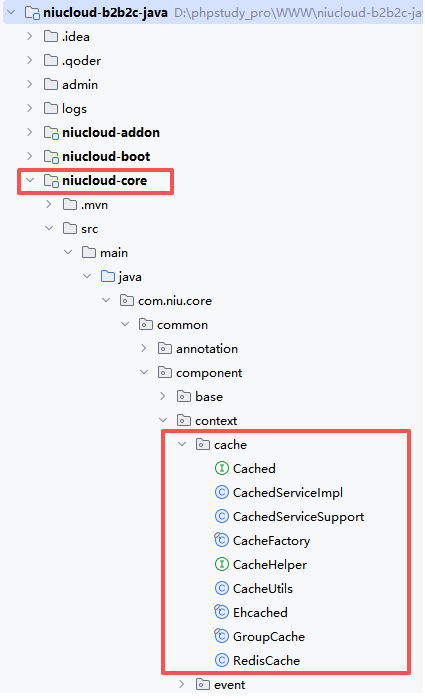
缓存相关接口
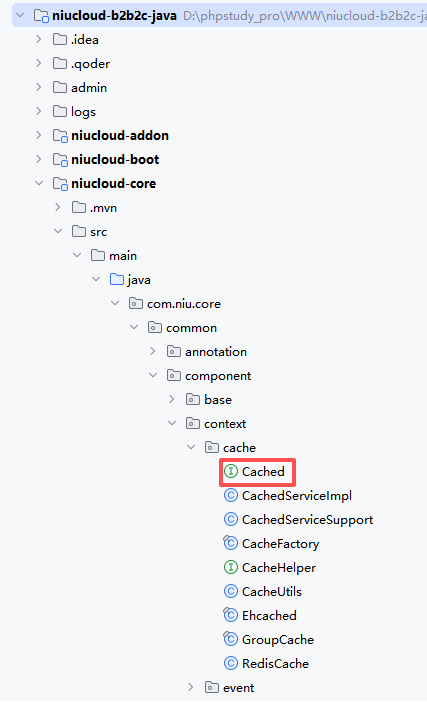
缓存架构
缓存配置
系统在 application.yml 中配置缓存类型和 Redis 连接信息:
yaml
# Redis配置
spring.data:
  redis:
    database: 1
    host: 127.0.0.1
    port: 6379
    password:
    timeout: 10s
    lettuce:
      pool:
        max-active: 200
        max-wait: -1ms
        max-idle: 10
        min-idle: 0
# 缓存策略
cache:
  type: redis
自动配置
在 CachedConfig.java 中配置了 Redis 缓存管理器:
java
@Configuration
@EnableCaching
public class CachedConfig {

    @Bean
    public CacheManager cacheManager(RedisConnectionFactory connectionFactory) {
        RedisCacheConfiguration cacheConfiguration = RedisCacheConfiguration.defaultCacheConfig();
        cacheConfiguration = cacheConfiguration.serializeValuesWith(
                RedisSerializationContext.SerializationPair.fromSerializer(new GenericJackson2JsonRedisSerializer()));
        return RedisCacheManager.builder(connectionFactory).cacheDefaults(cacheConfiguration).build();
    }

    @Bean(name = "redisCacheOperator")
    public Cached redisCacheOperator(RedisTemplate<String, Object> redisTemplate) {
        return CacheFactory.buildWithRedis(redisTemplate);
    }
}
缓存使用方法
1. 基本缓存操作
注入 Cached 接口实例,进行基本的缓存操作:
java
@Autowired
@Qualifier("redisCacheOperator")
private Cached cached;

// 放入缓存
cached.put("user:1", userInfo);

// 放入缓存,设置1小时过期时间
cached.put("user:1", userInfo, 3600);

// 获取缓存
UserInfo userInfo = (UserInfo) cached.get("user:1");

// 删除缓存
cached.remove("user:1");

// 批量删除缓存(支持模式匹配)
cached.removeBatch("user:*");
2. 标签管理
使用标签(Tag)对缓存进行分组管理:
java
// 创建标签实例
Cached.Tag userTag = cached.tag("user");

// 使用标签放入缓存
userTag.put("1", userInfo);
userTag.put("2", userInfo2);

// 使用标签获取缓存
UserInfo user1 = (UserInfo) userTag.get("1");

// 清空标签下所有缓存
userTag.clear();
3. 高级缓存封装
使用 cache 方法封装缓存逻辑,自动处理缓存的获取和更新:
java
// 获取用户信息,自动缓存
UserInfo userInfo = cached.cache("user", "1", key -> {
    // 缓存不存在时执行此逻辑
    return userService.getUserById(1);
});

// 带过期时间的缓存
UserInfo userInfo = cached.cache("user", "1", key -> {
    return userService.getUserById(1);
});
cached.put("user:1", userInfo, 3600);
4. 参数化缓存
使用 remember 和 rememberObject 方法根据参数生成唯一缓存键:
java
// 根据参数生成唯一键并缓存结果
List<UserInfo> userList = cached.remember(
    Arrays.asList("user_list", status, role),
    key -> userService.getUserList(status, role)
);

// 缓存单个对象
UserInfo userInfo = cached.rememberObject(
    Arrays.asList("user", userId),
    key -> userService.getUserById(userId)
);