海报组件开发
开发自定义海报组件
定义海报组件文件位置:niucloud-addon/shop/src/main/resources/shop/loader/poster/components.json 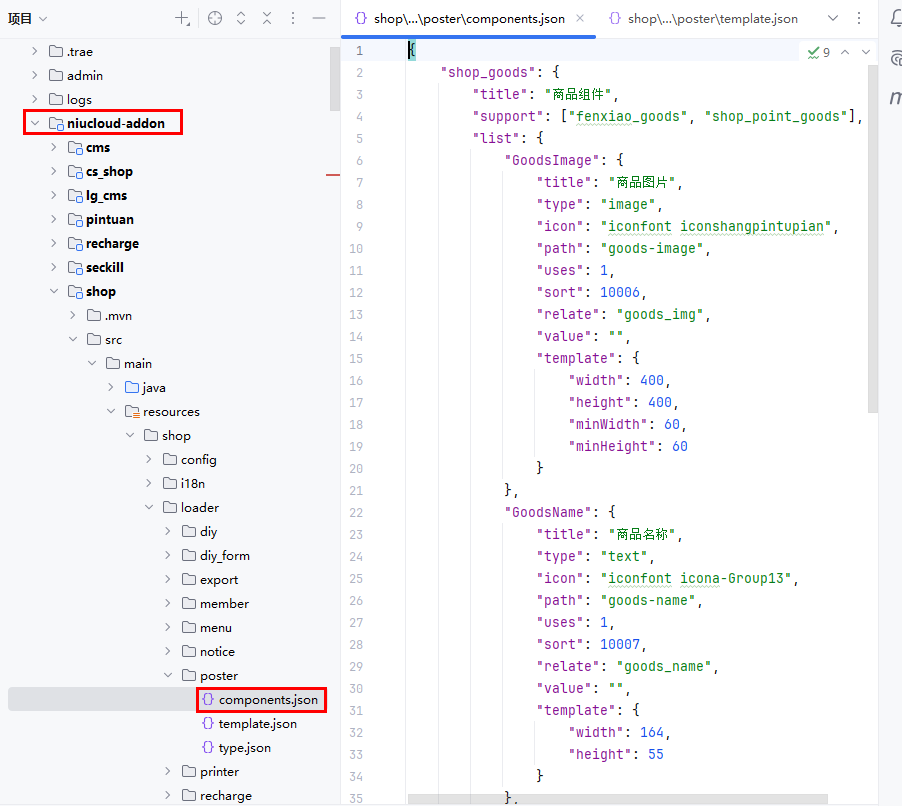
components.json 海报组件关键代码
json
{
	"shop_goods": {     // 海报类型
		"title": "商品组件",        // 海报组件分组名称
		"support": ["fenxiao_goods", "shop_point_goods"],   // 组件所支持的海报类型,为空表示都支持
		"list": {
			"GoodsImage": {
				"title": "商品图片",    // 组件名称
				"type": "image",     // 组件类型,文本:text,image:图片,qrcode:二维码,draw:绘画
				"icon": "iconfont iconshangpintupian",  // 组件图标
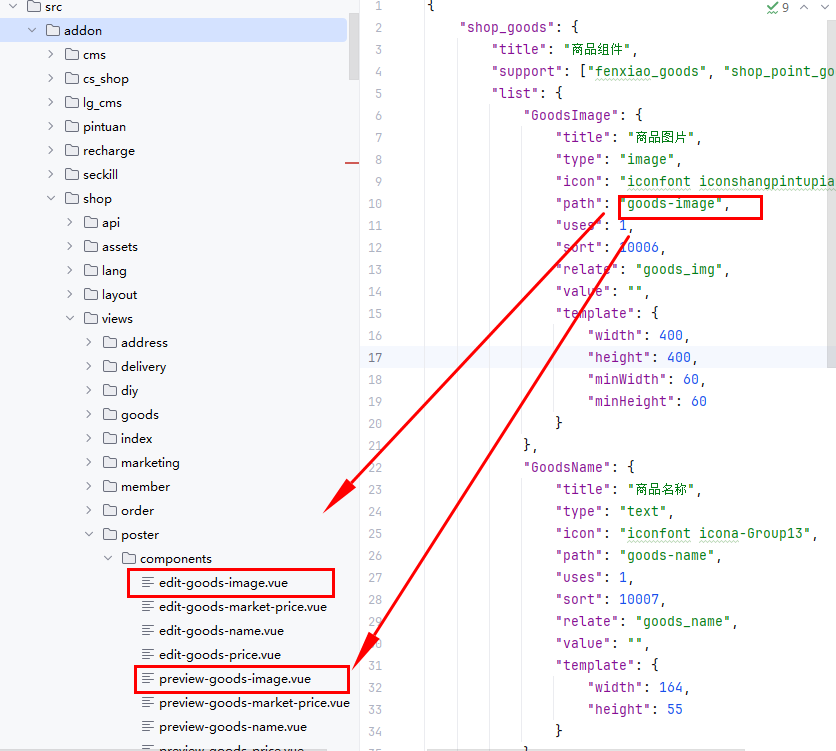
				"path": "goods-image",  // 属性编辑,在前端定义海报的预览组件和海报编辑组件时,组件预览前缀加edit-,编辑组件属性前缀加preview-
				"uses": 1,  // 最大添加数量,0为不限制
				"sort": 10006,  // 排序号,从小到大
				"relate": "goods_img",  // 关联字段,空为不处理
				"value": "",    // 默认值
				"template": {
					"width": 400,
					"height": 400,
					"minWidth": 60,
					"minHeight": 60
				}
			},
			"GoodsName": {
				"title": "商品名称",
				"type": "text",
				"icon": "iconfont icona-Group13",
				"path": "goods-name",
				"uses": 1,
				"sort": 10007,
				"relate": "goods_name",
				"value": "",
				"template": {
					"width": 164,
					"height": 55
				}
			}
		}
	}
}
前端定义海报的预览组件、编辑组件
代码位置:admin/src/addon/shop/views/poster/components
根据 components.json 中定义的 path 路径,需要在前端定义海报的预览组件和海报编辑组件。
预览组件前缀为:preview-,编辑组件前缀为:edit-
例如:path 为 goods-name,预览组件名称就是:preview-goods-name,编辑组件名称就是:edit-goods-name